
Graduates
- Scored 40+ in the IB and 7s in the subjects they teach.

Master your IB Computer Science IA. Learn how to meet the marking criteria for a 7, understand SL/HL complexity, and explore 30 project ideas vetted by top IB graduates.
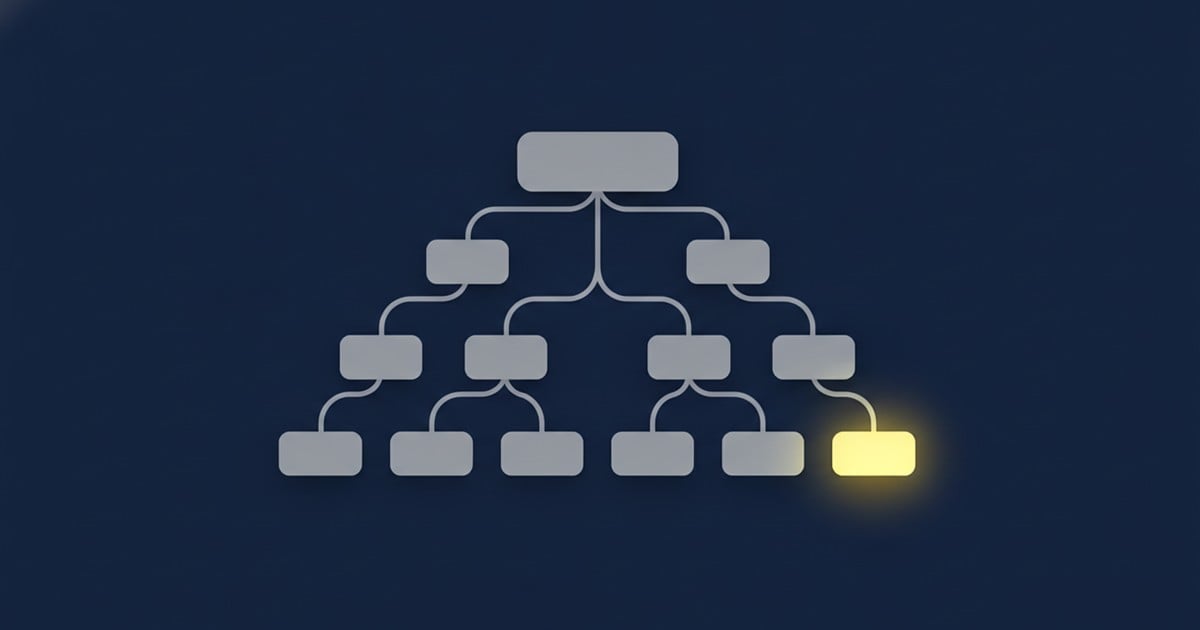
Your Computer Science Internal Assessment, which the IB officially calls "The Solution," is one of the most challenging yet rewarding parts of the course. It’s your chance to act like a real software engineer, solving a genuine problem with code. It accounts for a massive 30% of your final grade at Standard Level (SL) and 20% at Higher Level (HL), making it a critical component for your success.
At Lanterna, we’ve guided countless students from a blank page to a top-scoring IA. We know what examiners love to see and the common mistakes that cost students marks. This guide is our insider knowledge, packed into one place.
By using this guide, you will be able to:
The IB is updating the Computer Science curriculum, which affects the IA requirements. It's crucial to know which rules apply to you.
Here’s a quick breakdown of the key differences:
| Assessment Feature | 2014 Syllabus (Exams up to Nov 2026) | 2027 Syllabus (Exams May 2027 onwards) |
|---|---|---|
| Client Requirement | Strictly required. You must document authentic consultation and feedback. | Not required. You can explore a topic of personal interest. |
| Total Time Allocation | 30 hours recommended. | 35 hours officially allocated. |
| Criterion A | Planning (6 Marks) | Problem Specification (4 Marks) |
| Criterion B | Solution Overview (6 Marks) | Planning (4 Marks) |
| Criterion C | Development (12 Marks) | System Overview (6 Marks) |
| Criterion D | Functionality (4 Marks) | Development (12 Marks) |
| Criterion E | Evaluation (6 Marks) | Evaluation (4 Marks) |
| Total Marks | 34 Marks | 30 Marks |
No matter the syllabus, one thing remains constant: your solution must be more than a simple digital filing cabinet. It needs to show genuine computational thinking, smart use of data structures, and solid algorithmic logic.
To get a 7, you need to build your project around the marking rubric. Let’s break down what you need to do for each of the 34 marks.
This is the foundation of your entire project. You need to identify a real problem for a real client and justify why a computational solution is the best fix.
| Mark Band | What You Need to Do |
|---|---|
| 5–6 Marks | Clearly identify your client and describe their problem in detail. You MUST provide evidence of consultation (like an initial interview). Most importantly, create a list of 8-15 highly specific and measurable success criteria. Instead of "the program will be fast," write "the program will return search results from the 1,000-item database in under 2 seconds." |
| 3–4 Marks | You describe the problem, but your success criteria might be a bit vague or hard to test objectively. |
| 1–2 Marks | Your scenario is unclear, and your success criteria are either missing or completely unmeasurable. |
This is your blueprint. You must design the entire solution before you start coding. This includes a project timeline and detailed design diagrams.
| Mark Band | What You Need to Do |
|---|---|
| 5–6 Marks | Meticulously fill out the official IB Record of Tasks (RoT) template, documenting every stage. Create comprehensive design diagrams (UML, flowcharts, wireframes). You also need a detailed test plan that shows how you will test every single success criterion from Criterion A. |
| 3–4 Marks | Your RoT is mostly complete, but your design diagrams are basic and lack technical depth. Your test plan is present but not very thorough. |
| 1–2 Marks | Your RoT is incomplete, your designs are missing or superficial, and you have no clear test plan. |
This is the most heavily weighted section. It’s where you show off your coding skills. You don't just dump your code here; you explain the most complex and intelligent parts of your solution.
| Mark Band | What You Need to Do |
|---|---|
| 10–12 Marks | Your solution is complex and technically impressive. You use advanced coding techniques (like sorting algorithms, recursion, or Abstract Data Types) and explain why you used them with annotated code screenshots. Your code is clean, efficient, and well-structured. |
| 7–9 Marks | Your solution is moderately complex. Your code works well, but your explanations might lack deep technical justification. |
| 4–6 Marks | Your solution is basic, relying mostly on simple loops and if-statements. You haven't used many advanced tools or data structures. |
| 1–3 Marks | The code is minimal, has errors, and shows no real computational thinking. |
This is where you prove your program actually works. You must submit a 2 to 7-minute narrated video demonstrating your product. The examiner will likely not run your code; this video is their only proof.
| Mark Band | What You Need to Do |
|---|---|
| 4 Marks | Your video clearly and systematically demonstrates that all success criteria from Criterion A have been met. Your narration is clear, and you also show how your program is extensible (meaning it can be easily updated or expanded in the future). |
| 3 Marks | The program is mostly functional, but there are minor bugs, or you fail to demonstrate a few of the success criteria. |
| 1–2 Marks | The video shows a program that is only partially functional, crashes frequently, or fails to meet most of the success criteria. |
Here, you critically reflect on your finished product. You must get direct feedback from your client and use it to evaluate your success.
| Mark Band | What You Need to Do |
|---|---|
| 5–6 Marks | You provide a detailed evaluation of your product against each success criterion. You include specific, documented feedback from your client. You then offer an honest assessment of the product's limitations and provide realistic, concrete suggestions for future improvements. |
| 3–4 Marks | You evaluate the product against most criteria and include some client feedback, but your suggestions for improvement are generic ("make it faster"). |
| 1–2 Marks | Your evaluation is superficial, you have little to no client feedback, and you don't critically assess the project's success. |
To get into the top mark bands for Criterion C, your program needs to show "non-trivial complexity." This doesn't mean it has to be impossible to understand. It means you need to strategically use appropriate programming techniques to solve your client's problem. Simply ticking boxes won't work; the techniques must have a real purpose.
For a top-scoring SL project, you should aim to meaningfully implement at least 10 of these techniques:
| SL Complexity Aspect | What it Looks Like in a Project |
|---|---|
| Arrays | Using 1D arrays to store and manage collections of data. |
| User-defined objects | Creating your own classes to model real-world things (e.g., a `Student` or `Product` class). |
| Objects as data records | Storing instances of your custom objects in an array or list. |
| Simple selection | Standard `if-else` statements for basic logic. |
| Complex selection | Using nested `if` statements, `switch` cases, or multiple conditions (AND/OR). |
| Loops | Using `for` or `while` loops for iteration. |
| Nested loops | Putting loops inside other loops, often for processing 2D data. |
| User-defined methods | Creating your own functions to make your code modular and clean. |
| Methods with parameters | Passing variables into your methods to make them dynamic. |
| Methods with return values | Having your methods return a value or object back to the main program. |
| Sorting | Implementing an algorithm (like Bubble or Insertion sort) to organize data. |
| Searching | Implementing an algorithm (like Linear or Binary search) to find data. |
| File I/O | Reading from and writing to external files (.txt, .csv) to save data. |
| Additional libraries | Using external libraries for things like creating a graphical user interface (GUI). |
| Sentinels or flags | Using boolean variables to control the flow of loops. |
HL projects require a significant step up in software engineering, with a focus on Abstract Data Structures (ADTs). You should aim to use at least 10 of these advanced techniques:
| HL Complexity Aspect | What it Looks Like in a Project |
|---|---|
| Direct File Manipulation | Directly manipulating a `RandomAccessFile` using a file pointer. |
| Recursion | Creating methods that call themselves (perfect for sorting or tree traversal). |
| Polymorphism | Designing classes where methods behave differently depending on the object type. |
| Inheritance | Creating a hierarchy of classes (parent and child) to reduce code duplication. |
| Encapsulation | Protecting your data with `private` variables and using getter/setter methods. |
| Implementing ADTs | Building your own composite data structures from scratch. |
| Linked Lists | Implementing a dynamic list using nodes and pointers. |
| Trees | Building a binary search tree for highly efficient data storage and retrieval. |
| Stacks | Implementing a Last-In-First-Out (LIFO) structure (great for an "undo" feature). |
| Queues | Implementing a First-In-First-Out (FIFO) structure (perfect for a scheduling system). |
| 2D Arrays | Using matrices for grid-based data, maps, or tables. |
| Hash Maps/Dictionaries | Using key-value pairs for super-fast data lookup. |
| Advanced Algorithmic Logic | Implementing complex algorithms like pathfinding (Dijkstra's), encryption, or basic machine learning. |
| Multi-threading/Processing | Allowing your program to do multiple things at once. |
Choosing the right topic is the most important step. The best projects solve a real problem for an accessible client, are achievable in about 35 hours, and give you plenty of opportunities to show off your coding skills.
These projects are a safe bet for high scores because they naturally involve objects, data structures, sorting, searching, and file handling.
| Project Idea & Scenario | Core Techniques & Algorithmic Focus | Suitability & Pitfalls |
|---|---|---|
| 1. School Resource Booking System: A librarian needs a system for teachers to reserve equipment (projectors, VR headsets) and prevent double-bookings. | 2D arrays (for a calendar), OOP for equipment items, binary search for dates, file I/O for storage. | SL/HL. HL can add linked lists for waitlists. Pitfall: Failing to handle two users trying to book at the same time. |
| 2. Local Retail Inventory Manager: A small shop needs an app to track stock, send low-stock alerts, and generate sales reports. | Advanced file parsing (CSV), sorting algorithms to organize inventory, encapsulation, and report generation. | SL/HL. Pitfall: Creating a system that just adds/deletes items. It must include complex searching or sorting to score well. |
| 3. Clinic Appointment Scheduler: A medical clinic needs to manage patient appointments, track doctor availability, and flag scheduling conflicts. | Arrays of custom `Patient` and `Appointment` objects, nested loops for conflict detection, search algorithms. | SL/HL. Pitfall: Poor data privacy. Use fake or pseudo-anonymized data. |
| 4. Extracurricular Volunteer Hours Tracker: A CAS coordinator needs software to log, sort, and verify student volunteer hours. | File parsing, complex `if-else` logic for validation rules, sorting algorithms to rank students by hours. | SL. Pitfall: Lacking complexity. It needs to do more than just record numbers; it should have analytical features. |
| 5. Canteen Pre-Ordering System: A school cafeteria needs a pre-ordering app to manage orders and reduce queue times. | Implementation of a Queue ADT (FIFO) to manage the order line, array manipulation for menu items. | HL. Perfect for HL as it naturally requires a Queue ADT. |
These are great because your client (a teacher or peer) is easy to access for feedback.
| Project Idea & Scenario | Core Techniques & Algorithmic Focus | Suitability & Pitfalls |
|---|---|---|
| 6. Adaptive Flashcard App: A language teacher needs a flashcard system that tracks student mistakes and shows difficult cards more often. | File I/O for card decks, dynamic arrays or linked lists to shuffle, algorithms for spaced repetition. | HL. HL can use Trees for card prioritization. Pitfall: Making a static deck with no adaptive algorithm. |
| 7. Math Quiz Generator: A primary school teacher wants an app that creates random math problems, grades them, and tracks student performance. | Random number generation, string parsing (to evaluate expressions), 2D arrays for tracking scores. | SL/HL. Pitfall: Generating unsolvable or illogical equations due to poor randomization. |
| 8. Chemistry Equation Balancer: A tool for chemistry students that takes an unbalanced equation and calculates the correct coefficients. | Advanced string parsing and recursive backtracking algorithms to solve the equation. | HL. Pitfall: Very high algorithmic difficulty. Requires robust error handling for chemical syntax. |
| 9. Physics Trajectory Simulator: A physics teacher wants a visual tool where students input variables (velocity, angle) to see a projectile's path. | Graphical libraries (e.g., Pygame, Java Swing), `while` loops for physics updates, trigonometric calculations. | SL/HL. Pitfall: Focusing too much on graphics and not enough on documenting the physics logic. |
| 10. Vocabulary Matcher with Error Tolerance: A language app that tests vocabulary and gives partial credit for minor spelling mistakes. | Levenshtein distance algorithm (string similarity), file I/O for dictionaries, loops for string comparison. | HL. Pitfall: You must code the similarity algorithm yourself, not just import a library. |
These apps solve specific, everyday problems for individuals or small groups.
| Project Idea & Scenario | Core Techniques & Algorithmic Focus | Suitability & Pitfalls |
|---|---|---|
| 11. Adaptive Study Timer: A Pomodoro-style timer that adjusts study/break intervals based on the user's self-reported focus levels. | System clock integration, file I/O to log sessions, algorithms to calculate optimal break times. | SL. Pitfall: Must have the "adaptive" algorithm. A simple stopwatch is too basic. |
| 12. Smart Budgeting App: An app for a student to log expenses, automatically categorize them using keywords, and get budget warnings. | Keyword pattern matching (searching), sorting expenses, multi-conditional logic for budget alerts. | SL. Pitfall: Don't overcomplicate the UI at the expense of the core categorization algorithms. |
| 13. Automated File Organizer: A script for a photographer that reads image metadata and sorts thousands of files into folders by date. | OS interaction, file metadata extraction, string parsing, complex loops for directory traversal. | SL/HL. Pitfall: Must have a GUI. The IB requires a user-friendly interface for the client. |
| 14. Secure Password Vault: A local, encrypted app to store passwords that also includes an algorithm to rate password strength. | Entropy analysis algorithms, basic encryption/decryption logic, secure file handling. | HL. Pitfall: You need to code the fundamental logic, not just use an external cryptography library. |
| 15. Habit Tracker with Predictive Analysis: A tool that tracks daily habits, calculates streaks, and predicts the user's likelihood of success based on past data. | 2D arrays (dates vs. habits), statistical calculation algorithms, graphical UI updates. | SL. Pitfall: It's just a simple checklist without the predictive modeling component. |
These projects are designed for HL students and focus on applying theoretical CS concepts to solve complex problems.
| Project Idea & Scenario | Core Techniques & Algorithmic Focus | Suitability & Pitfalls |
|---|---|---|
| 16. Route Optimization Tool: A tool for a delivery driver that calculates the shortest path between multiple stops on a map. | Graph data structures, implementation of Dijkstra’s or A* search algorithm, visual node mapping. | HL. Pitfall: The visual map can be a time sink. Focus on the pathfinding logic first. |
| 17. Plagiarism Detection Tool: A local tool for a teacher to compare a student's essay against a database of past submissions to find similar phrases. | String similarity algorithms, heavy file I/O (parsing many documents), array management. | HL. Pitfall: Can be very slow if your search algorithm is inefficient. |
| 18. Sorting Algorithm Visualizer: An educational tool for a CS teacher that visually demonstrates how different sorting algorithms work in real-time. | Multi-threading (to sort in the background while updating the UI), recursive sorts (Merge/Quick), graphical rendering. | HL. Pitfall: Multi-threading is powerful but notoriously difficult to debug. |
| 19. Text Data Compression Utility: A tool to compress large text files using a custom algorithm to save disk space. | Implementation of a Huffman coding algorithm, binary tree data structures, byte-level file I/O. | HL. Pitfall: Requires a deep understanding of bitwise operations and binary file writing. |
| 20. Social Relationship Mapper: A tool for a school counselor to map student social connections to identify potentially isolated students. | Graph ADT (adjacency list or matrix), breadth-first or depth-first search algorithms. | HL. Pitfall: Defining a measurable success criterion for what "isolated" means can be tricky. |
Knowing the criteria is one thing; executing perfectly is another. Here are the strategies that consistently separate the top students from the rest.
Poor time management is the number one reason students lose marks. The IB recommends 35 hours, but you should spread this work out over 10-12 weeks to avoid a last-minute rush.
| Phase | Duration | Core Objectives |
|---|---|---|
| Phase 1: Planning & Client | Weeks 1–3 | Conduct client interviews. Define the problem. Write specific, measurable Success Criteria. Draft Criterion A. |
| Phase 2: Design Blueprint | Weeks 4–5 | Create all design documents (UML, flowcharts, wireframes) and your formal test plan. Start filling out your Record of Tasks. |
| Phase 3: Development | Weeks 6–9 | Write the code. Focus on implementing the required SL/HL complexity aspects. Document your key algorithms for Criterion C. |
| Phase 4: Testing & Video | Weeks 10–11 | Run all the tests in your test plan. Script, record, and edit your 2–7 minute functionality video. |
| Phase 5: Evaluation | Week 12 | Get final feedback from your client. Write your critical evaluation, identifying limitations and proposing future improvements. |
Finally, a quick but important note. Your Computer Science IA is completely different from a Computer Science Extended Essay.
The IA requires a portfolio of design documents and a working program. The EE requires a formal academic essay with citations and a bibliography. Knowing the difference will save you a lot of trouble.
The Computer Science IA is a marathon, not a sprint. By choosing a focused, algorithmic project and meticulously documenting your process, you can turn this daunting task into a portfolio piece you can be proud of, securing a top grade along the way.
.png)
Discover 10 famous IB graduates, from world leaders to actors and tech founders, who prove the IB Diploma opens doors to any career path you choose.

Struggling to find an IB Maths IA topic? Explore 50 proven Maths IA topic ideas, hand-picked by an IB expert to inspire your exploration and help you score highly.

Stuck on your IB CAS Project? Get inspiration from 50 expert-curated IB CAS Project ideas and examples covering Creativity, Activity, and Service strands.

What IB Score Do You Need for Top Universities? See the breakdown: 24 (Pass), 30-34 (Good), 38+ (Elite). Set realistic goals for top-tier universities.

Learn how to structure and format your IB Math IA for top marks. Understand the grading criteria and optimal layout used by high-scoring students.

IB Results Day is here. Learn your next steps for university offers and requirements, whether you met your IB scores or need to consider remarks or Clearing.

Struggling with your IB Extended Essay? Get inspired with 100+ Extended Essay Topics and learn the 10 steps for a top EE grade in your diploma.
25 practical, experiment-friendly IB Chemistry IA ideas. Get topic inspiration, plus essential hints on variables, data collection, and avoiding common IA pitfalls for top marks.

Struggling with your IB Biology IA? Discover 30+ expert-curated IB Biology IA Topic Ideas and examples to inspire your research and help you secure a top grade.
600+ handpicked tutors from across the world with the best background and experience.


Geography shouldn't limit your potential. Lanterna provides premium online IB tutoring across the world, being partners with 250+ IB schools worldwide. Our country guides explore how the IB landscape shapes up and how our tutoring supports it perfectly.
1 hour of online tutoring in any subject with a 40+ IB graduate who scored a 7 in your subject.
No strings attached. By filling out the form you accept our T&Cs.